Change Management

Specialty Contractor

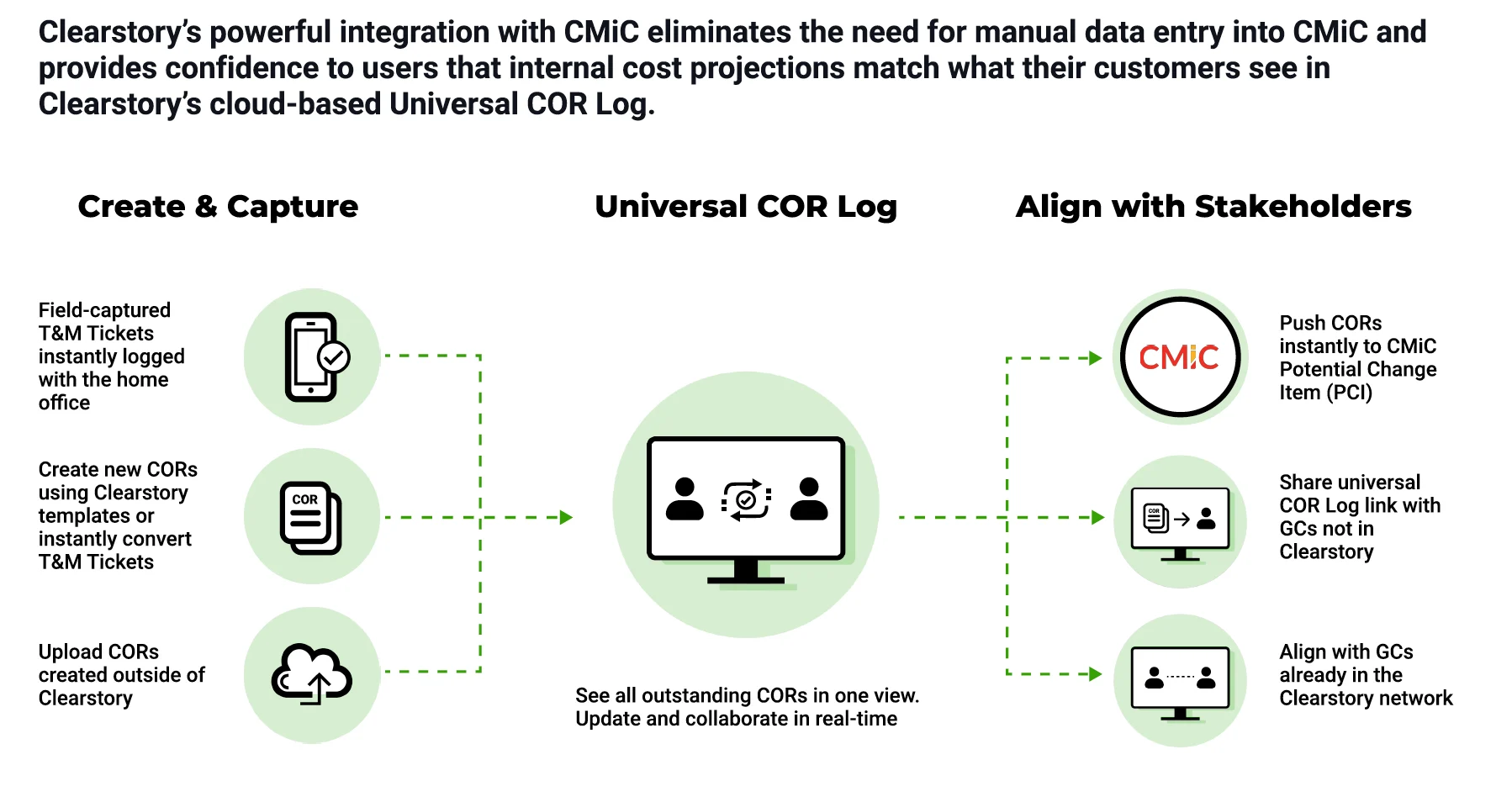
Clearstory’s powerful integration with CMiC allows project stakeholders to quickly align on out-of-contract work with streamlined workflows to eliminate data entry when creating Potential Change Items (PCIs) in CMiC. The integration creates a seamless way to instantly push Clearstory Change Order Requests, Lump Sum Totals, and COR numbers, titles, and labor and equipment details to CMiC. Collaborate and align on status in real-time and instantly create a PCI or push to an existing PCI without leaving Clearstory.

  • Purpose-built by former contractors for Specialty Contractors to quickly align on, track, and resolve out-of-contract work costs.  

  • Every COR you sent or received is automatically logged into Clearstory’s cloud based, shareable COR log.

  • Select one or multiple CORs and push the lump sum or detailed breakdown to a CMiC Potential Change Items (PCI) to eliminate time consuming, error-prone data entry.

  • Capture field-directed extra work via digital T&M Tags with photo documentation and one-click electronic signatures.

Clearstory CMiC Dataflow Subs

Clearstory CMiC Dataflow Specialty Contractors

Clearstory CMiC Dataflow Subs

General Contractor

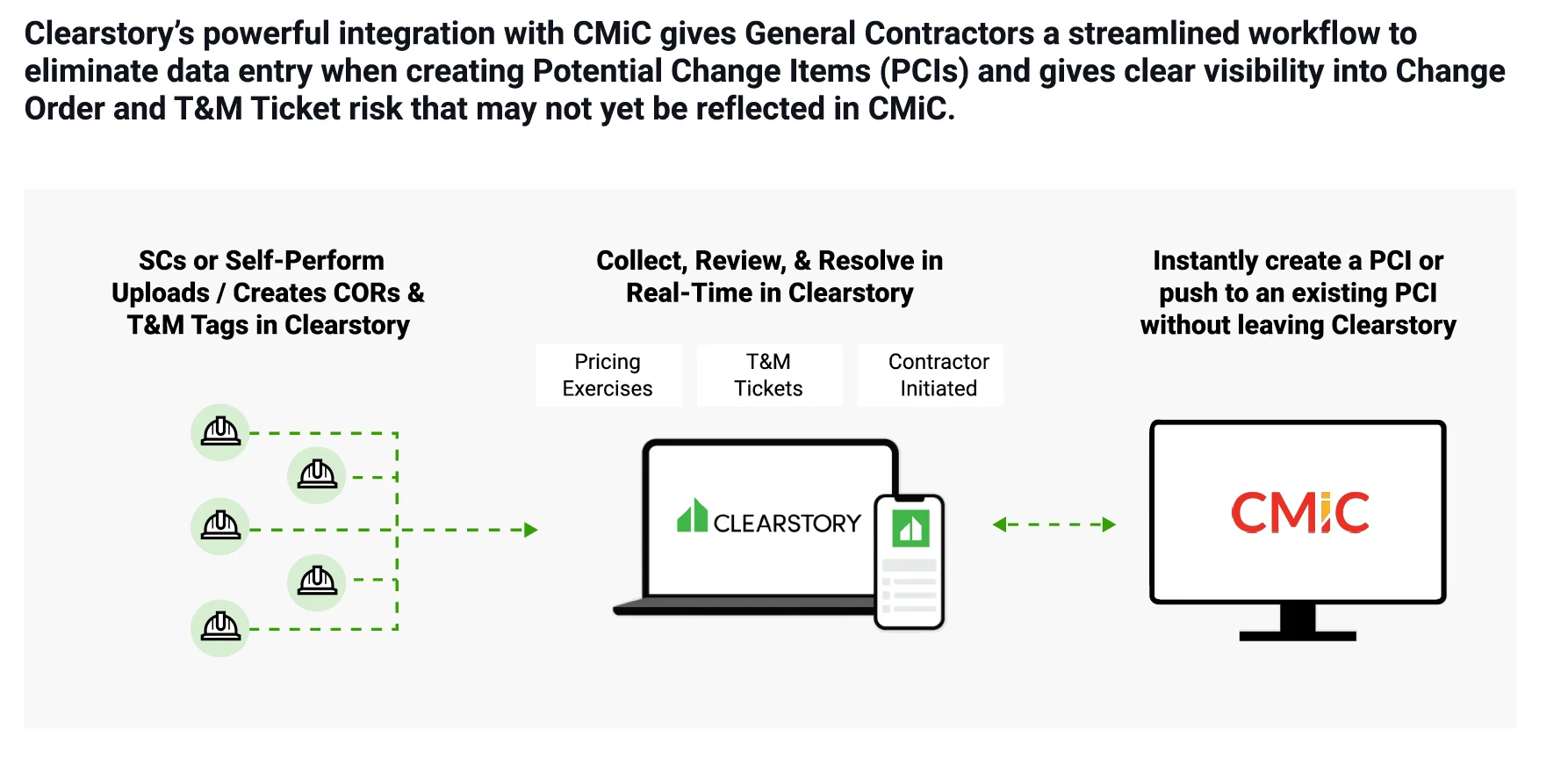
Clearstory’s powerful integration with CMiC allows project stakeholders to quickly align on out-of-contract work with streamlined workflows to eliminate data entry when creating Potential Change Items (PCIs) in CMiC. The integration creates a seamless way to instantly push Clearstory Change Order Requests, Lump Sum Totals, and COR numbers, titles, and labor and equipment details to CMiC. Collaborate and align on status in real-time and instantly create a PCI or push to an existing PCI without leaving Clearstory. 

  • Purpose-built by former contractors for GCs to quickly align on, track, and resolve out-of-contract work costs.  

  • Every COR you sent or received is automatically logged into Clearstory’s cloud based, shareable COR log. 

  • Select one or multiple CORs and push the lump sum or detailed breakdown to a CMiC Potential Change Items (PCI) to eliminate time consuming, error-prone data entry. 

  • Capture field-directed extra work via digital T&M Tags with photo documentation and one-click electronic signatures.  

Clearstory CMiC Dataflow GCs

Clearstory CMiC Dataflow General Contractors

Clearstory CMiC Dataflow GCs
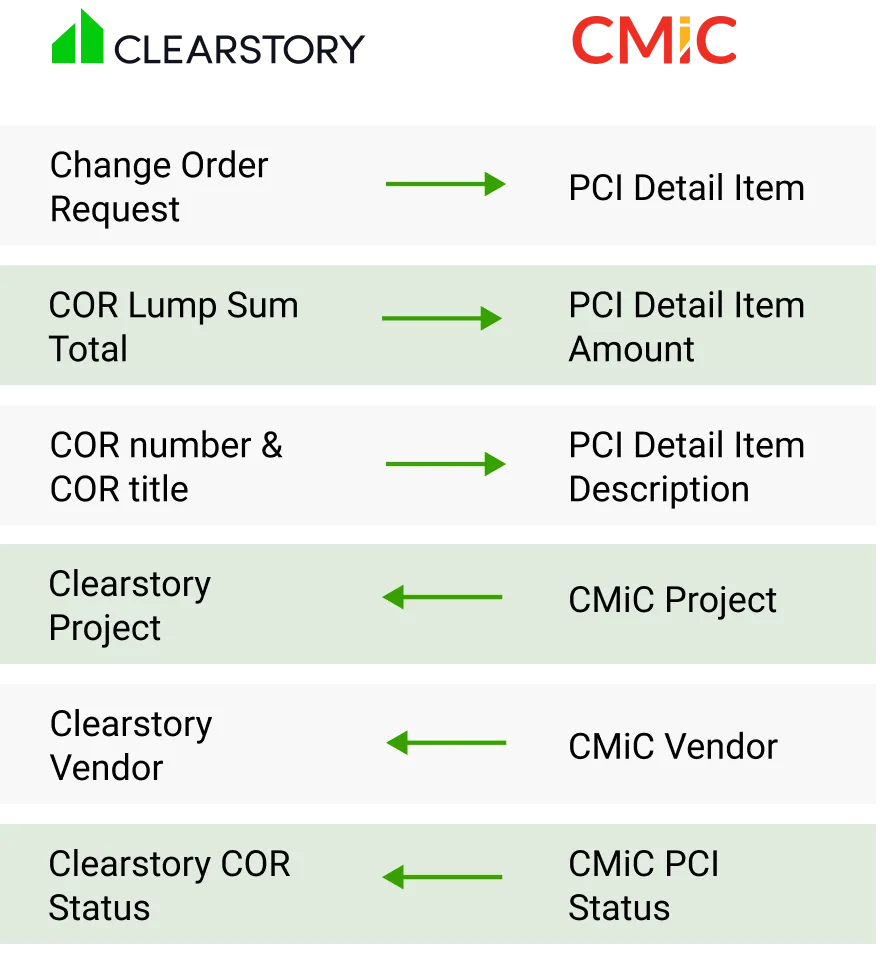
Clearstory CMiC Field Mapping APIs

High-Level Field Mapping

Clearstory CMiC Field Mapping APIs

License Requirements

To push CORs from Clearstory, the integration must first be configured by a user having either an account owner role or an admin role for your office.

You will need the following information regarding your CMiC system:

  • Check with CMiC via their salesloft ticket process to confirm you have the proper APIs to support this integration.

  • Locate the URL you use to access your CMiC APIs. Example: https://${hostname.com}/${hostdomain}/cm-rest-api/rest/1/cmdetail

  • The integration between Clearstory and CMiC requires a CMiC service account. Locate the Client ID (if used), username, and password used to authenticate the service account.

  • Contact the Clearstory team at support@clearstory.build. We will need to install the above URL in your Clearstory account so the two systems can be connected.

For detailed step-by-step instructions and more information, visit the Clearstory CMiC Integration Knowledge Base.

Contact Info